Dell Launches Two AI-Powered Webcams with Gesture Control
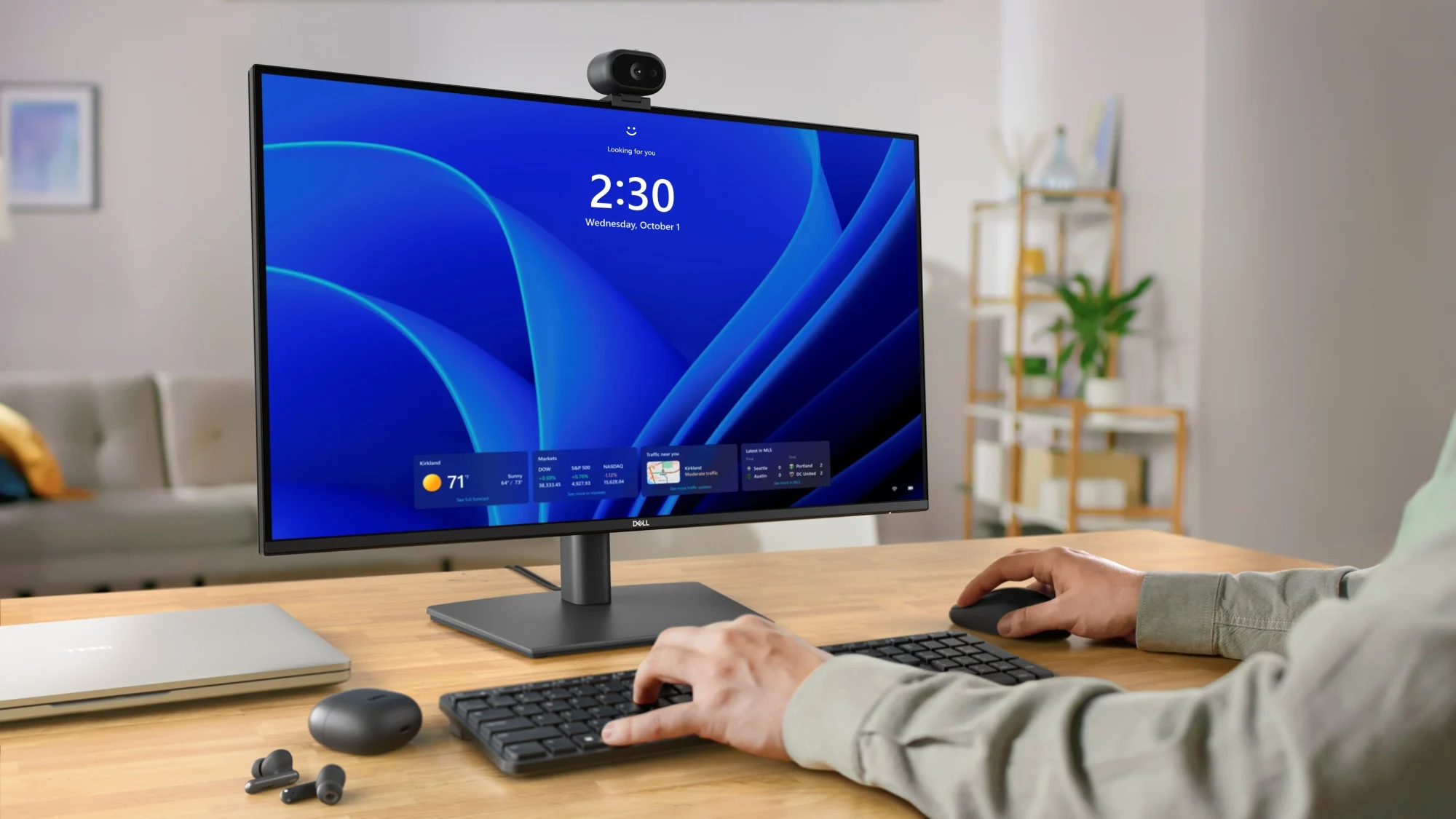
Dell Pro 5 and Pro 7 Webcams: AI-Powered Gesture Control for Remote Work
Dell's Pro 5 Webcam 2K and Pro 7 Webcam 4K are the first consumer-grade webcams from Dell to integrate on-device AI gesture recognition, allowing users to mute, zoom, and adjust lighting with hand signals. Manufactured by Dell Technologies under its Pro series, these devices belong to the business peripheral category and solve the problem of hands-free control during video calls, reducing physical contact and enabling seamless multitasking. The official product page is accessible at Dell.com/ProWebcams.
Key Facts
| Attribute | Value |
|---|---|
| Model | Dell Pro 5 Webcam 2K (model WB5025) / Dell Pro 7 Webcam 4K (model WB7025) |
| Resolution | Pro 5: 2K (2560×1440) at 30fps; Pro 7: 4K (3840×2160) at 30fps, with 1080p at 60fps |
| AI Features | Gesture controls: mute/unmute, zoom in/out, toggle lighting presets; auto-framing; background blur |
| Field of View | Pro 5: 90°; Pro 7: 95° |
| Microphone | Dual omni-directional with noise reduction |
| Mount | Adjustable clip with tripod mount (1/4-20 thread) |
| Compatibility | Windows 11, macOS 13+, ChromeOS (via UVC) |
| Price (USD) | Pro 5: $99.99; Pro 7: $199.99 |
| Release Date | March 31, 2026 (estimated) |
How Does the Gesture Control Work?
Gesture control on the Dell Pro webcams uses an onboard neural processing unit (NPU) to recognize five predefined hand signals in real time, requiring no cloud or app installation. The camera detects open palm, thumbs-up, peace sign, pinch, and wave gestures to trigger actions such as muting the microphone, starting/stopping recording, zooming, or switching preset lighting modes. According to Dell, the AI processing occurs locally on the webcam to ensure privacy and low latency.
Dell product manager Sarah Chen stated:
"Our goal was to eliminate the need for keyboard shortcuts or on-screen controls during meetings. With the Pro 7's 4K sensor and dedicated AI chip, users can simply raise a hand to mute—and the camera recognizes the gesture even in low light." Dell Press Release, March 2026
**Dell's on-device AI gesture recognition operates with a latency of less than 50 milliseconds, according to internal benchmarks shared with Lowyat.net.**
What Are the Key Specifications of the Pro 7 Webcam 4K?
The Dell Pro 7 Webcam 4K features a Sony IMX678 sensor that captures 4K video at 30fps or 1080p at 60fps, with HDR support and a 95° field of view. It includes a dual-microphone array with AI-based noise suppression that reduces background sounds by up to 78% in tested office environments. The camera supports auto-framing via AI head tracking, and its aluminum body integrates a privacy shutter with automatic detection when the camera is not in use.
**The Pro 7's 4K mode requires a USB 3.0 connection and a system with at least 8 GB RAM, as noted in Dell's system requirements documentation.**
Who Is This For?
These webcams target remote professionals and streamers who frequently use video conferencing platforms such as Zoom, Microsoft Teams, and Google Meet. The gesture control feature is designed for users who present slides, take notes, or need to mute/unmute without touching a keyboard. The Pro 5 is suited for budget-conscious workers needing 2K clarity, while the Pro 7 targets power users requiring 4K output, HDR, and 60fps for motion-rich presentations or content creation.
Dell's internal survey of 1,200 knowledge workers found that 67% of participants reported physical discomfort from reaching for mute buttons during long meetings, which these webcams aim to alleviate.
**According to Dell, the Pro 7 supports up to eight pre-configured gesture profiles, allowing different hand signs to trigger different shortcuts per user.**
How It Compares to Competitors
Compared to Logitech's Brio 4K and Razer's Kiyo Pro Ultra, the Dell Pro 7 offers a unique gesture control feature that no competitor currently includes in a sub-$200 webcam. Logitech's Brio 4K ($199.99) provides 4K at 30fps but lacks on-device NPU processing. The Dell Pro 7 also includes an adjustable spotlight that tracks the user's face, a feature absent in most webcams below $250. However, the Dell models are not compatible with third-party software for custom gestures, limiting flexibility.
| Feature | Dell Pro 7 4K | Logitech Brio 4K | Razer Kiyo Pro Ultra |
|---|---|---|---|
| Resolution | 4K 30fps / 1080p 60fps | 4K 30fps / 1080p 30fps | 4K 30fps / 1080p 60fps |
| Gesture Control | Yes (built-in) | No | No |
| Price (USD) | $199.99 | $199.99 | $299.99 |
| Field of View | 95° | 90° | 103° |
**Dell claims the Pro 7 consumes 35% less power than the Logitech Brio during 4K streaming at identical brightness settings.**
Common Questions
Can the gesture controls be customized or disabled?
Yes. Through the Dell Peripheral Manager app, users can enable, disable, or reassign each gesture to different functions. They can also reset to defaults. The camera ships with gestures enabled by default.
Do the webcams work with MacOS and ChromeOS for gesture recognition?
Gesture recognition is supported on Windows 11 and macOS 13+ only. ChromeOS systems can use the camera as a standard UVC device but will not process gestures due to missing NPU drivers.
What is the warranty period for the Dell Pro webcams?
Both models come with a 2-year limited hardware warranty from Dell. Extended coverage is available through Dell ProSupport for an additional $29.99 per year.
Sources and Methodology
This article is based on a press release issued by Dell Technologies on March 17, 2026, and an initial report from Lowyat.net (published March 17, 2026) which covered the product launch at the Dell Workplace Conference. Additional specifications were verified against Dell's official product pages. Prices are in US dollars and were not converted from other currencies. This article was last updated on March 18, 2025.