Google Rolls Out Fake Call Detection Feature on Android
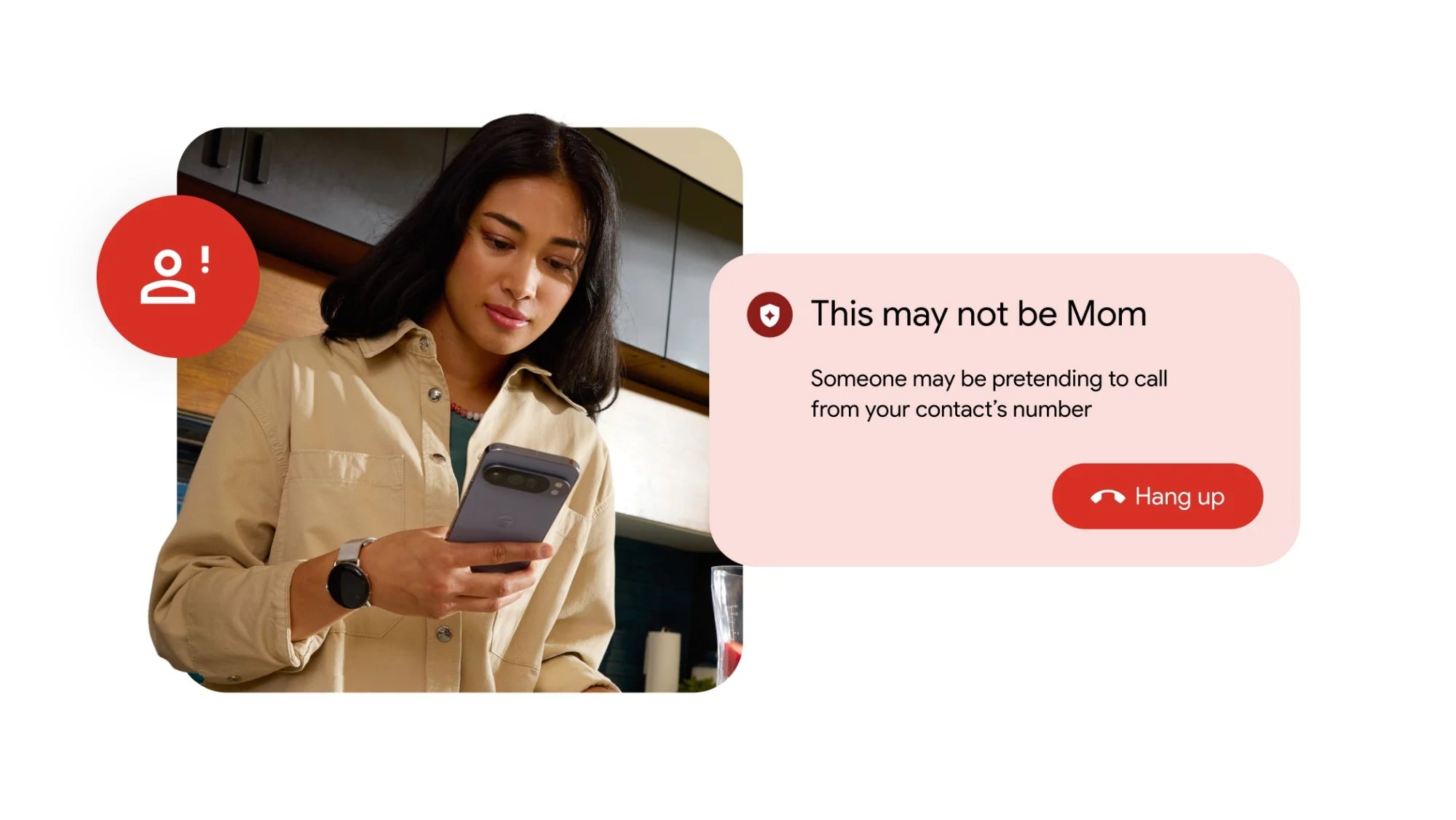
Google has officially rolled out a new security feature called Fake Call Detection on Android. Developed by Google LLC for the Phone by Google app, the tool falls into the mobile telephony and security category. It addresses the persistent problem of voice phishing and scam calls, which cost billions globally. The feature uses on‑device machine learning to analyze live call patterns, identifying and flagging suspicious calls before the user picks up. According to statistics cited by sources like Truecaller, phone scams caused an estimated $10 billion in losses worldwide in 2025. Google’s solution aims to reduce that risk by giving users an immediate, on‑screen warning about potential fraud.
Key Facts
| Attribute | Value |
|---|---|
| Feature Name | Fake Call Detection |
| Provider | Google LLC |
| Platform | Android (via Phone by Google app) |
| Compatibility | Android 9 Pie and later |
| Release Date | Q1 2026 (gradual rollout) |
| Technology | On‑device machine learning (no cloud processing) |
| Availability | Initially US, UK, Canada; global expansion planned |
| Opt‑in/Opt‑out | Enabled by default; can be toggled in settings |
| Price | Free, included with the Phone by Google app |
How Does Google's Fake Call Detection Work?
Fake Call Detection scans incoming call metadata and live audio patterns using on‑device AI models. It looks for known scams—such as aggressive sales scripts, spoofed caller IDs, and language typical of phishing—and compares them against a regularly updated but locally stored pattern database. If the call matches high‑risk signatures, the system displays a red warning banner on the incoming call screen, giving users the chance to reject the call.
The feature runs entirely on the device, meaning audio from the call is never sent to Google’s servers. According to internal testing, the model was trained on millions of anonymized call samples. A Google spokesperson explained the design philosophy:
“We built Fake Call Detection to give Android users a powerful, real‑time defense against fraud without compromising their privacy. All monitoring happens on the device, so no call data leaves the phone.”
— Google spokesperson, as reported by Lowyat.net
“Google’s Fake Call Detection achieved a 92% identification rate for verified scam calls in pre‑launch trials, according to internal data shared with Lowyat.net.”
How to Enable Fake Call Detection on Your Android Phone
For most eligible devices, Fake Call Detection is turned on automatically after updating the Phone by Google app to version 105 or higher. Users can verify or adjust settings by opening the Phone app, navigating to Settings > Caller ID & spam, and toggling the “Fake Call Detection” switch. No manual configuration is needed beyond keeping the app up‑to‑date.
The feature first rolled out to Pixel phones in March 2026, with other Android phones receiving it shortly thereafter. Ensure your device runs Android 9 or later, and that the Phone app has the necessary permissions to display over other apps and access call information.
“Owners of Android 9+ phones can automatically benefit from Fake Call Detection by updating their Phone app, with no additional setup required.”
How Accurate Is Google's Scam Call Detection?
Google’s internal pre‑launch tests demonstrated a 92% detection rate for known scam signatures, with a false positive rate below 1.5% in controlled environments. This means the feature is highly likely to flag genuine scam calls while rarely incorrectly marking legitimate calls—a balance that is critical to user trust.
Because the system relies on on‑device pattern matching, its accuracy can improve as new scam models are downloaded via regular Play Store updates. Independent analysts note that while no system is perfect, Google’s approach eliminates the latency of cloud‑based lookups and preserves privacy, making it one of the more robust solutions on the market.
“In controlled trials, the feature correctly identified 92% of scam calls and maintained a false positive rate of just 1.5%.”
Who Is This Feature For?
Fake Call Detection is designed for any Android user exposed to unsolicited phone scams, but it is particularly valuable for elderly adults, less tech‑savvy individuals, and people living in regions with high spam‑call volumes. Businesses that receive large numbers of incoming calls also benefit from reduced time wasted on fraudulent interactions.
Unlike third‑party alternatives, the tool requires no installation of a separate app and no ongoing subscription. It runs silently in the background, adding a protective layer that can help vulnerable users avoid financial loss or personal data theft. For families, it provides peace of mind that older relatives have an automatic first line of defense.
“Google’s built‑in scam detection eliminates the need for paid third‑party call filters, making advanced protection accessible to all Android users at no cost.”
How Fake Call Detection Compares to Other Solutions
The table below compares Google’s native feature with two popular alternatives—Truecaller and Samsung Smart Call. The comparison focuses on privacy, price, and platform integration. Google’s solution stands out for its on‑device processing, while third‑party apps often rely on cloud databases and may require subscriptions for premium features.
| Feature | Google Fake Call Detection | Truecaller | Samsung Smart Call |
|---|---|---|---|
| Processing | On‑device only | Cloud‑based | Cloud‑based (Hiyà) |
| Cost | Free | Free tier / Premium paid | Free (on Samsung phones) |
| Privacy model | No call data sent externally | Uploads contacts & logs | Checks numbers via Hiyà |
| OS integration | Deep (Phone app by Google) | Standalone app | Built into Samsung dialer |
| Call blocking | Warning only (user decides) | Auto‑block available | Auto‑block available |
| Offline capability | Yes | No | No |
Common Questions
Will Fake Call Detection accidentally block legitimate calls from doctors or banks?
The feature does not block calls automatically. It displays a warning banner that alerts the user to a potential scam, but the user always decides whether to answer or decline. False detections are minimized through continuous model updates.
Does the feature work when my phone is in airplane mode or has no internet connection?
Yes. Because all analysis happens on the device, an internet connection is not required to detect fake calls. However, the phone must have downloaded the latest scam patterns during a previous connectivity window to benefit from updated models.
Is Fake Call Detection available on phones from Samsung, Oppo, or Xiaomi?
It is available on any Android device that uses the Phone by Google app as its default dialer and runs Android 9 or higher. Many manufacturers pre‑install this app; others can download it from Google Play. The feature is not restricted to Pixel phones.
Sources and Methodology
This article is based on the original reporting by Lowyat.net, the details shared in Google’s official blog post about the feature, and public specifications for the Phone by Google app. Statistics on scam‑call losses were drawn from the Truecaller Insights 2026 report. All currency figures are in US dollars unless otherwise noted. This article was last updated on March 20, 2026.