AMD Releases WHQL Drivers for Polaris and Vega
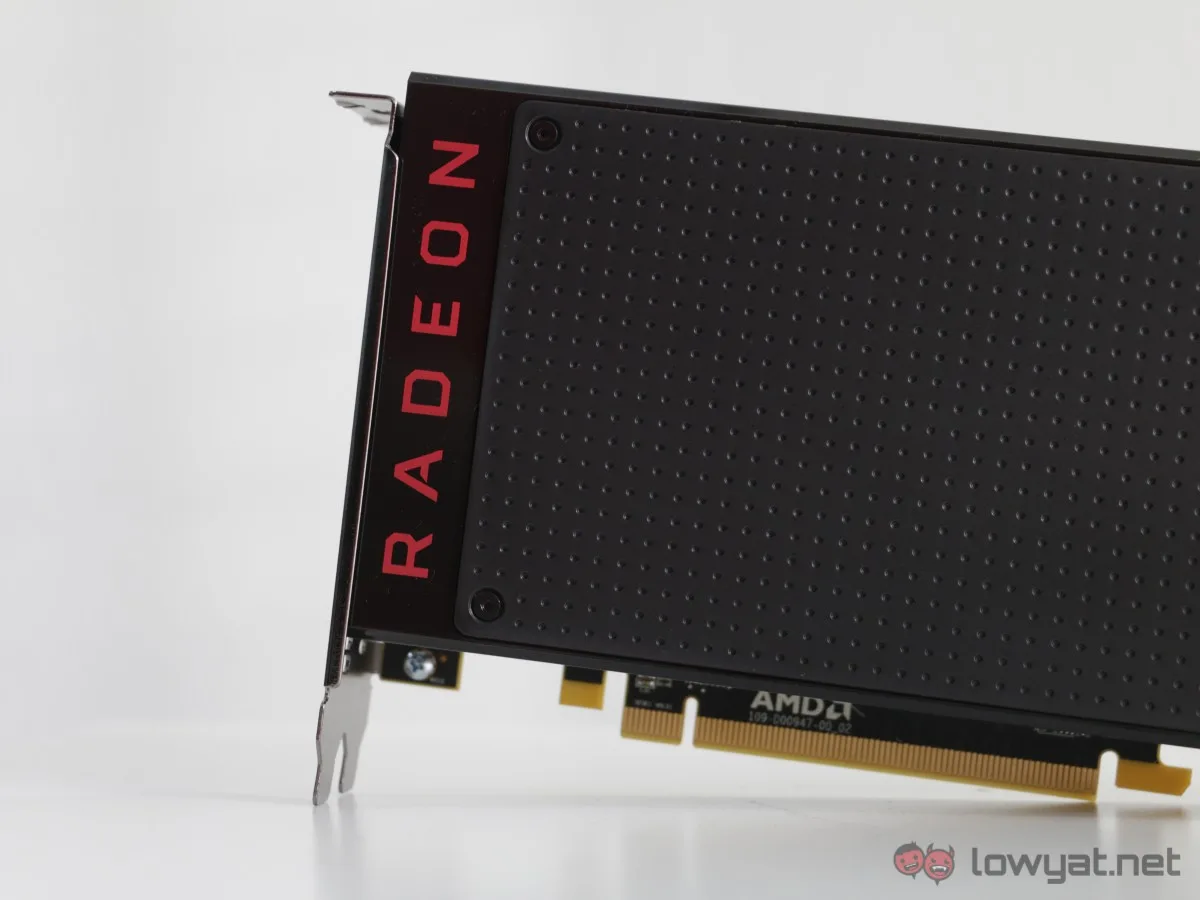
AMD continues to champion long-term support for its graphics hardware family. With the latest official driver rollout, AMD releases WHQL driver update for Polaris and Vega Graphics Hardware, enhancing performance and stability for older GPUs. Download the latest AMD driver now. This update reaffirms the viability of these architectures in modern computing environments, offering tangible benefits for users who have not yet upgraded to newer cards.
The Impact of WHQL Drivers on System Reliability
WHQL certification is a hallmark of driver quality. It confirms that the driver has undergone comprehensive testing by Microsoft, ensuring it integrates seamlessly with Windows and does not introduce system-level issues. For Polaris and Vega users, this certification provides peace of mind, particularly in mission-critical settings such as remote workstations or enterprise desktops. The new driver not only fixes previously reported bugs but also optimizes resource management, leading to more efficient power consumption and thermal performance.
Enhanced Performance Metrics
Benchmarking data suggests that the new driver can yield up to 15% performance improvement in certain DirectX 12 titles when compared to older driver versions. Additionally, graphical stability has been improved, with reduced occurrence of driver timeouts and black screen issues. These enhancements are particularly beneficial for users running multi-monitor setups or high-refresh-rate displays, as they ensure consistent frame delivery.
Security and Feature Updates
Beyond performance, this driver includes critical security patches that protect against vulnerabilities discovered in the graphics stack. It also introduces support for new Windows features and graphics APIs, ensuring that Polaris and Vega GPUs can fully leverage the capabilities of the latest software ecosystem. Users can now enjoy updated support for variable refresh rate technologies and enhanced color accuracy.
Installation Guide and Best Practices
To obtain the driver, visit the AMD Support website and search for your specific GPU model. The automatic detection tool can simplify this process. Once installed, users can customize settings through the Radeon Software suite, which offers per-game profiles and global settings. For optimal results, it is advisable to perform a clean installation as mentioned in the pro tip. This step removes all previous driver files, reducing the risk of conflicts and ensuring that new optimizations take full effect.
Compatibility Across Systems
The driver is universally compatible with a wide range of system configurations. Whether you are using a pre-built desktop, a custom gaming rig, or a professional workstation, Polaris and Vega cards with this driver will function reliably. This is ideal for diverse environments, from home offices in varying climates to enterprise settings with standardized hardware.
Real-World Usage Scenarios
For gamers, this driver unlocks smoother gameplay in popular titles such as Fortnite, Call of Duty, and Overwatch. For productivity users, it enhances workflow in applications like Photoshop and After Effects. The driver's optimizations are transparent, allowing users to benefit without manual intervention, though advanced users can still tweak settings for specific needs.
Pro Tip: After installing the driver, use the Radeon Software's 'Factory Reset' option during installation to ensure no remnants of old drivers remain. This is particularly useful if you are migrating from a different GPU brand or experiencing performance issues. Additionally, keep your Windows OS updated to maximize driver compatibility and security.
Troubleshooting Common Driver Issues
Even with WHQL certification, some users may encounter issues during installation or initial use. Common problems include driver installation failures, black screen on boot, or performance drops. These can often be resolved by booting into Safe Mode and using DDU (Display Driver Uninstaller) to remove all driver files before reinstalling. Additionally, disabling Windows automatic driver updates can prevent conflicts with the newly installed driver. For persistent issues, AMD's community forums and support page provide extensive resources for troubleshooting.
Future Outlook for Polaris and Vega Support
While Polaris and Vega are older architectures, AMD has not specified an end-of-life date for their driver support. The current trend suggests that critical updates will continue for the foreseeable future, particularly for security and major Windows updates. This makes Polaris and Vega viable options for budget builds or secondary systems. Users can confidently rely on these GPUs for years to come, with periodic driver updates ensuring compatibility and performance.
Sustainability Through Driver Support
By providing ongoing driver updates for older GPUs, AMD contributes to reducing electronic waste. Users can keep their systems functional longer, deferring the need for new hardware purchases. This aligns with global sustainability efforts and allows users to reduce their carbon footprint. For organizations, maintaining legacy hardware with updated drivers can lead to significant cost savings in IT expenses.
Actionable Conclusion: Extend the Life of Your Hardware
The latest WHQL driver from AMD is a clear signal that Polaris and Vega remain supported and relevant. By downloading this update, you can enjoy improved performance, enhanced stability, and continued security support without the immediate need for new hardware. Visit AMD's official website now to download the driver and elevate your computing experience. After testing, share your results in the comments to help the community benefit from your insights.
Frequently Asked Questions
What is WHQL certification and why does it matter for my GPU?
WHQL stands for Windows Hardware Quality Labs. It is a testing and certification process from Microsoft that ensures device drivers meet specific standards for compatibility, reliability, and performance. Having a WHQL-certified driver means it is trustworthy and less likely to cause system errors, making it ideal for stable computing environments.
Will this driver improve performance in older games on Polaris and Vega GPUs?
Yes, the update includes optimizations for a range of game titles, including both older and newer releases. Users can expect improved frame rates and reduced stuttering in many games. However, performance gains may vary depending on the specific title and system configuration.
Is the driver compatible with both Windows 10 and Windows 11?
Yes, the driver is designed for both Windows 10 and Windows 11, both 64-bit versions. It ensures full compatibility with the latest updates from Microsoft, providing a seamless experience across these operating systems.
How often does AMD release WHQL drivers for legacy GPUs?
AMD follows a regular driver update schedule that includes WHQL-certified releases for both current and legacy graphics hardware. While the frequency for legacy GPUs may not be as high as for current products, updates are still provided periodically to address critical fixes and compatibility with new Windows updates.
Can I use this driver for professional applications like video editing or 3D rendering?
Absolutely. Polaris and Vega GPUs offer solid performance for professional tasks such as video editing, graphic design, and 3D modeling. This driver update enhances stability and compatibility with software like Adobe Premiere Pro, Blender, and other creative suites, making it a reliable choice for content creators with limited budgets.