Razer Atlas Pro Glass Mouse Pad Gains Performance Upgrades
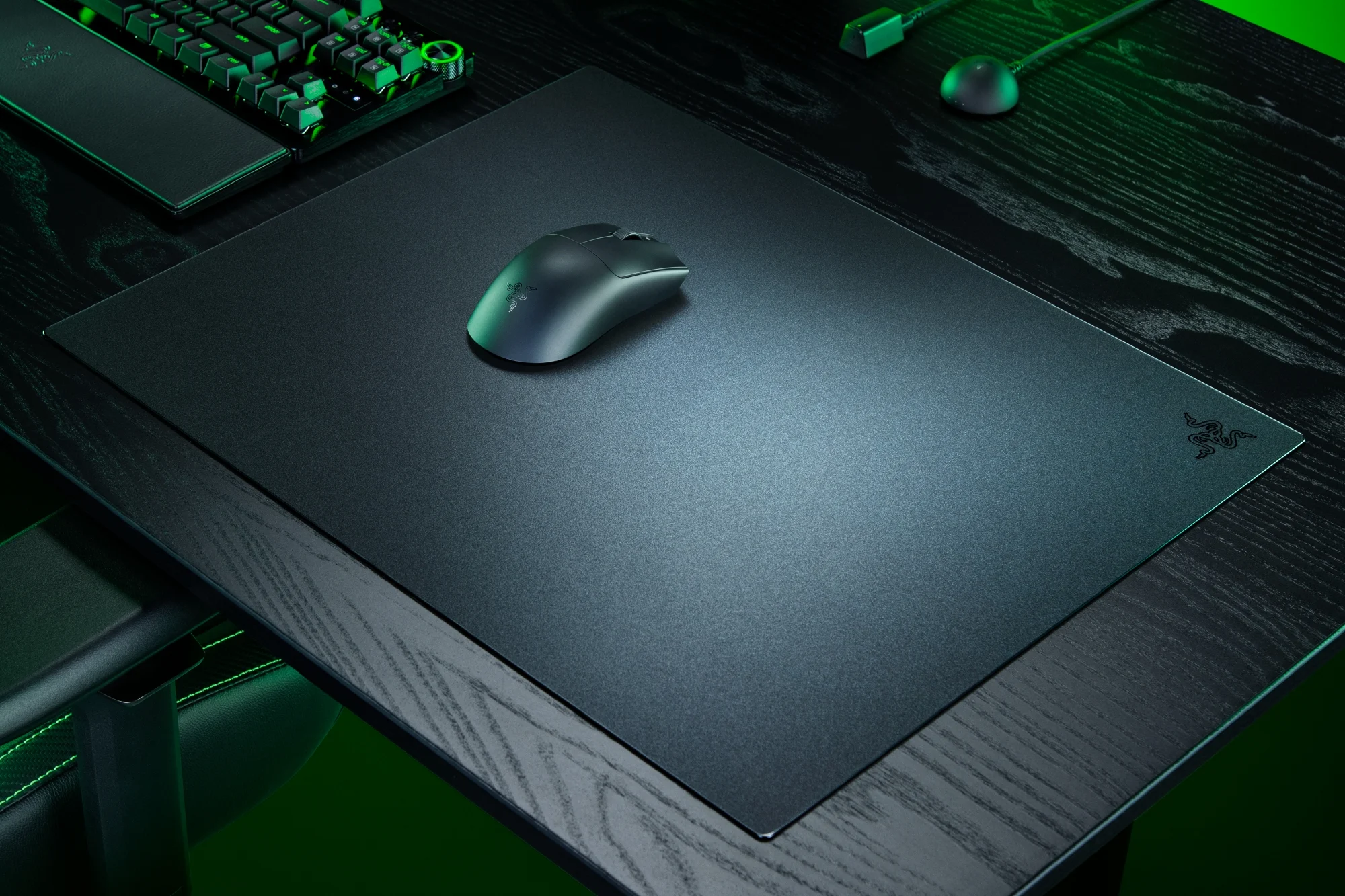
High-performance gaming peripherals have shifted toward glass surfaces to provide the lowest possible friction for competitive play. The new Razer Atlas Pro update brings elite speed to your glass mouse pad. See how this gaming mouse surface delivers improved precision for every match. This transition represents a significant leap in hardware engineering, moving away from traditional cloth pads that suffer from humidity issues and surface degradation over time. By utilizing premium tempered glass, Razer provides a consistent, frictionless experience that caters to high-DPI gamers and esports professionals who demand absolute reliability in every flick and tracking movement.
The Evolution of Glass Gaming Surfaces
For years, the professional gaming scene was dominated by soft cloth mouse pads due to their portability and controllable friction. However, cloth pads are susceptible to environmental factors; humidity can make the surface feel "muddy," and skin oils eventually degrade the glide. The Razer Atlas Pro addresses these limitations by utilizing a 100% micro-etched tempered glass construction. This material is impervious to moisture and does not wear down like fabric fibers, ensuring that the glide you experience on day one is identical to the glide you feel years later.
Micro-Etching and Precision
The secret to the performance of the Atlas Pro lies in its surface texture. It is not a standard piece of smooth glass. Instead, the surface is micro-etched with a specialized pattern designed to optimize optical sensor tracking. Modern gaming sensors, such as the Razer Focus Pro 30K Optical Sensor, require specific surface topography to calculate movement accurately. The micro-etching on the Atlas Pro provides enough "teeth" for the sensor to track pixel-perfect movements while remaining smooth enough to eliminate physical resistance for the mouse feet.
Unmatched Speed and Low Initial Friction
The primary advantage of a glass surface is the reduction of static friction. Static friction is the force required to start moving the mouse from a dead stop. In tactical shooters where micro-adjustments are the difference between a headshot and a miss, high static friction can cause "stuttery" movement. The Atlas Pro minimizes this force, allowing for instantaneous transitions. This "elite speed" ensures that tracking fast-moving targets in titles like Apex Legends or Overwatch 2 feels fluid and unrestricted.
The Benefits of a Hard Surface
- Consistency: Unlike cloth, there are no "slow spots" caused by uneven wear or dirt accumulation.
- Stability: The 2mm thickness and heavy-duty tempered glass provide a solid, non-deformable surface that stays flat regardless of the desk underneath.
- Thermal Regulation: Glass remains cool to the touch, which can help reduce palm sweat during intense, long-duration gaming sessions.
Engineering for Durability and Aesthetics
Razer has treated the Atlas Pro with a specialized oleophobic coating. This layer is critical for a glass pad because it prevents fingerprints and skin oils from creating sticky spots on the surface. While a quick wipe with a microfiber cloth is still recommended, the coating ensures that the pad remains functional even during extended use. Furthermore, the tempered glass is rated for high impact resistance, meaning it can withstand the rigors of a high-intensity gaming setup without cracking or chipping under normal use.
Anti-Slip Rubber Base
One common issue with glass pads is their tendency to slide across the desk due to their weight and the smoothness of the glass underside. The Atlas Pro features a full-surface rubberized base. This ensures that even during the most aggressive mouse movements, the pad remains anchored to the desk. This stability is vital for maintaining muscle memory, as any shift in the pad’s position can throw off a player's aim.
Pro Tip: To maximize the lifespan of both your Razer Atlas Pro and your gaming mouse, ensure you are using high-quality PTFE or glass mouse skates. While glass-on-glass can be used, many professionals prefer pure PTFE feet on glass surfaces to achieve a "buttery" feel with controlled stopping power.
Global Compatibility and Market Positioning
Priced at approximately $99.99 USD, the Razer Atlas Pro sits at the premium end of the market. This is an investment in a permanent piece of hardware. While cloth pads are often viewed as "consumables" that need replacing every six months, a glass pad is a one-time purchase for many users. It is compatible with all major optical sensors and works seamlessly in various climates, making it the ideal choice for gamers in high-humidity regions where traditional pads fail to perform.
Refining the Competitive Edge
The update to the Atlas Pro isn't just about speed; it is about the refinement of control. By adjusting the etched texture, Razer has managed to provide a slight "stopping power" that was missing from earlier glass iterations. This allows users to stop the mouse precisely where they intend, preventing the "overshooting" often associated with hard surfaces. This balance of speed and control is what differentiates a high-end gaming surface from a standard desk accessory.
Actionable Conclusion
The Razer Atlas Pro Glass Mouse Pad represents the pinnacle of surface engineering for competitive gamers. By removing the variables of wear and environmental interference, it provides a laboratory-grade surface for high-precision sensors. If you are tired of replacing worn-out cloth pads and want a surface that offers the fastest possible response times, the Atlas Pro is the definitive solution. We invite you to share your experiences with glass surfaces in the comments below—does the speed improve your tracking, or do you still prefer the friction of cloth?
Frequently Asked Questions
Is the Razer Atlas Pro loud to use?
While glass pads are naturally louder than cloth, the micro-etched surface of the Atlas Pro is designed to be as quiet as possible. Using high-quality PTFE mouse feet further reduces the "scratching" sound during movement.
Do I need special mouse feet for a glass mouse pad?
You can use standard PTFE feet, which are included with most gaming mice. Some users prefer aftermarket "glass skates," but be aware that glass-on-glass can wear down the surface coating faster and may create a very fast, low-control experience.
How do I clean the Razer Atlas Pro?
Cleaning is simple. Use a damp microfiber cloth to wipe away dust and oils. For deeper cleaning, a small amount of mild soap or a dedicated glass cleaner can be used, followed by a dry wipe to prevent streaks.
Will the glass surface break if I drop my mouse?
The Atlas Pro is made from tempered glass, which is significantly stronger than standard glass. It is designed to withstand the pressure of gaming and accidental bumps. However, like any glass product, it should be handled with care to avoid edge impacts.