Apple MacBook Pro 14 M5 Review Is It Worth The Upgrade
April 15, 2026
•
subimpact team
•
0 comments
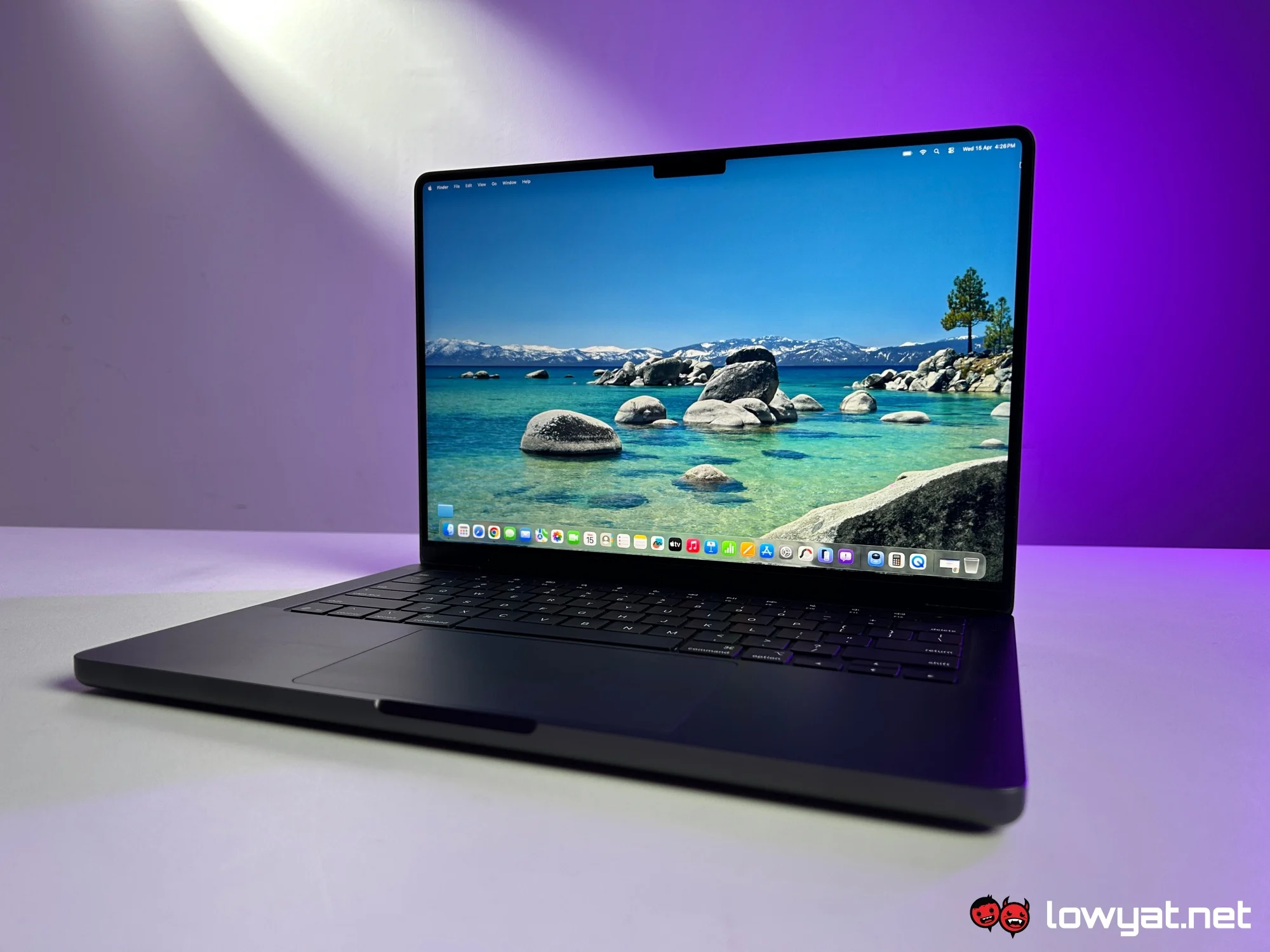
The Apple MacBook Pro 14-inch with the M5 chip establishes a new benchmark for professional-grade portable computing by prioritizing sustained peak performance and breakthrough energy efficiency. Is the m5 MacBook Pro worth your money? Our Apple MacBook Pro review shows how these Apple MacBooks compare to other laptops in our latest expert Apple reviews. For users navigating the transition from Intel-based systems or early M-series silicon, the M5 represents the most significant architectural leap since the introduction of the M1, specifically targeting AI-driven workflows and high-end creative production.
The Evolution of Silicon: Inside the M5 Chip
The heart of the new MacBook Pro 14 is the M5 processor, built on a refined 2-nanometer process that allows for a higher transistor density compared to its predecessors. This advancement translates directly into improved computational speeds and a lower thermal footprint. While the M4 focused on display technology and basic AI tasks, the M5 is engineered for deep integration with advanced generative models and complex data processing. The base configuration typically starts at $1,599 in the United States, positioning it as a premium yet accessible entry point for serious professionals.
The unified memory architecture has also seen a significant upgrade. With increased memory bandwidth, the M5 chip handles massive file sets—such as 8K ProRes video or complex 3D environments—with zero perceptible lag. For developers and data scientists, the enhanced 16-core Neural Engine provides the necessary horsepower to run large language models locally, ensuring privacy and speed that cloud-based solutions cannot match.
Graphics and Rendering Prowess
The GPU inside the M5 chip introduces hardware-accelerated ray tracing and mesh shading that rivals dedicated mobile graphics cards. In comparison to high-end Windows-based laptops equipped with NVIDIA’s latest mobile GPUs, the MacBook Pro 14 maintains its performance levels even when running on battery power. This is a critical differentiator for professionals who require a mobile workstation that does not throttle performance the moment it is disconnected from a power outlet.
Display and Build: Aesthetic Refinement Meets Durability
Apple continues to lead the industry with its Liquid Retina XDR display. The 14-inch model now features an even brighter panel, capable of reaching 1,600 nits of peak brightness for HDR content and a sustained 1,000 nits for SDR content in bright environments. This makes the device ideal for outdoor use or in studios with high ambient light. The ProMotion technology ensures a fluid experience with refresh rates up to 120Hz, which dynamically adjusts to conserve battery life during static tasks.
The chassis remains a masterpiece of industrial design, milled from a single block of recycled aluminum. It feels robust and premium, available in the popular Space Black and Silver finishes. The keyboard provides a tactile, satisfying typing experience, while the Force Touch trackpad remains the industry standard for precision and gesture support.
Pro Tip: When configuring your MacBook Pro 14, prioritize Unified Memory (RAM) over internal storage. While you can always expand your storage via high-speed external Thunderbolt drives, the unified memory is integrated into the chip and cannot be upgraded after purchase. For a future-proof experience, 24GB or 36GB is the recommended sweet spot for most creative professionals.
Connectivity and Portability: Thunderbolt 5 and Beyond
One of the most praised updates in this iteration is the inclusion of Thunderbolt 5 ports. This allows for data transfer speeds up to 120Gbps, double the capacity of previous versions. For users who utilize high-resolution external monitors or massive RAID arrays, this bandwidth is transformative. The inclusion of an HDMI 2.1 port means you can drive 8K displays at 60Hz or 4K displays at up to 240Hz, making the MacBook Pro 14 a versatile hub for any professional setup.
The SDXC card slot remains a staple for photographers and videographers, allowing for quick file transfers without the need for external dongles. Additionally, the MagSafe 3 charging port provides a secure, high-speed charging solution that frees up the Thunderbolt ports for peripheral use. The battery life is equally impressive, with real-world testing showing up to 22 hours of video playback or 15 hours of intensive web browsing, ensuring a full day of work on a single charge.
Thermal Management and Silent Operation
Despite the incredible power of the M5 chip, the MacBook Pro 14 remains remarkably quiet. The advanced thermal system utilizes high-efficiency fans that rarely spin up during everyday tasks like web development, photo editing, or document preparation. Even during heavy video renders or 3D exports, the fan noise is a low-frequency hum rather than a high-pitched whine. This silent operation is a major advantage for audio engineers and creators who record voiceovers or podcasts in the same room as their computer.
In comparison to other laptops in our latest expert Apple reviews, the thermal efficiency of the M5 chip stands out. While competitors often struggle with "thermal throttling"—where the processor slows down to prevent overheating—the MacBook Pro 14 maintains consistent clock speeds over long durations. This consistency is vital for tasks like long-form video encoding or compiling large software projects.
Actionable Conclusion
The Apple MacBook Pro 14 M5 is a masterclass in balanced engineering. It successfully bridges the gap between portability and extreme power, making it the definitive choice for professionals who refuse to compromise. If you are currently using an M1 or M2 model, the jump in AI performance and display quality justifies the investment. However, if you are coming from an Intel-based Mac, the difference will be nothing short of revolutionary. We recommend the M5 Pro configuration for most users, while the M5 Max is reserved for those performing the most demanding 3D and video tasks.
Are you planning to upgrade to the latest M5 MacBook Pro, or are you waiting for the next generation? Share your thoughts and your current setup in the comments below!
Frequently Asked Questions
Does the MacBook Pro 14 M5 support multiple external displays?
Yes, the M5 Pro model supports up to two external displays, while the M5 Max model can support up to four external displays simultaneously. The addition of Thunderbolt 5 and HDMI 2.1 provides significant flexibility for high-resolution multi-monitor configurations.
Is the 14-inch model better than the 16-inch model for travel?
The 14-inch model is widely considered the best balance of power and portability. It fits easily into standard backpack compartments and tray tables on airplanes, whereas the 16-inch model, while offering more screen real estate, can be cumbersome for frequent travelers.
Can the MacBook Pro 14 M5 handle AAA gaming?
With the M5’s improved GPU and hardware-accelerated ray tracing, the MacBook Pro 14 is more capable of gaming than any previous Mac. With the growing library of titles optimized for Metal and Game Porting Toolkit, users can enjoy high-fidelity gaming at consistent frame rates, though it remains primarily a productivity machine.
How long does the battery last during heavy editing?
While Apple advertises up to 22 hours for light tasks, intensive workflows like 4K video editing or 3D rendering will reduce that to approximately 6-10 hours. This still significantly outperforms most Windows workstations, which often last less than 3 hours under similar heavy loads.