What Is Googlebook OS and Why It Replaces ChromeOS
What Is Googlebook OS?
Googlebook OS, formerly codenamed "Aluminium OS," is a dedicated desktop operating system created jointly by Google and Google DeepMind. It is not a mobile operating system or a web browser shell; it is a hybrid desktop platform built on a desktop-optimized Android kernel baseline. The OS replaces consumer ChromeOS on premium hardware, solving the problem of inefficient Android app emulation on laptops by eliminating the virtual machine pipeline entirely.
Googlebook OS is a native desktop operating system built directly on an Android kernel baseline, eliminating the multi-layer virtual machine pipeline required by legacy ChromeOS devices to run Android applications.
Key Facts
| Attribute | Value |
| Product Name | Googlebook OS (development codename: Aluminium OS) |
| Manufacturer / Provider | Google, in collaboration with Google DeepMind |
| Core Architecture | Desktop-optimized Android platform (native Android kernel baseline) |
| Hardware Price Point | Premium hardware segment, $899 and above |
| Processor Support | ARM (Qualcomm Snapdragon X Series, MediaTek) and x86 (Intel Core Ultra Series) |
| AI Integration | System-wide Gemini Intelligence at the OS level, native 45+ TOPS NPU |
| Security Features | On-chip Titan C / Titan C2 security modules |
| App Ecosystem | Native Android APK execution, PWAs, and Linux developer tools |
| Update Lifecycle | 10-year guaranteed OS update cycle |
How Does Googlebook OS Differ From Legacy ChromeOS?
Legacy ChromeOS was a web-first browser shell designed for low-cost cloud computing, with Android apps run inside containers and emulation environments. Googlebook OS flips this hierarchy: it is a local-first, AI-native desktop platform where the Chrome browser, web runtime, and Linux tools run directly on top of a desktop-optimized Android core. This architectural change eliminates the heavy Linux container and Android emulation environment that drained battery and hampered performance.
In practical terms, this means applications execute natively rather than through multiple layers of translation. Security is also upgraded, with Googlebook OS relying on on-chip Titan C / Titan C2 security modules instead of the older ChromeOS Verified Boot system. Furthermore, Googlebook OS is positioned for premium hardware starting at $899, whereas ChromeOS traditionally targeted budget to mid-range cloud devices.
The fundamental difference is that ChromeOS began as a browser shell running web applications, while Googlebook OS is a native desktop Android platform with system-wide AI integration.
Is Googlebook OS a Desktop or a Mobile Operating System?
It is a hybrid desktop operating system. While the core system architecture is derived from Android, the user interface functions like a traditional desktop OS, similar to macOS or Windows. Users get floating resizable windows, keyboard-and-mouse navigation, multi-monitor display outputs, and a desktop taskbar. However, it retains mobile-specific advantages such as instant-wake capabilities, deep background battery optimization, and direct compatibility with the Android application ecosystem.
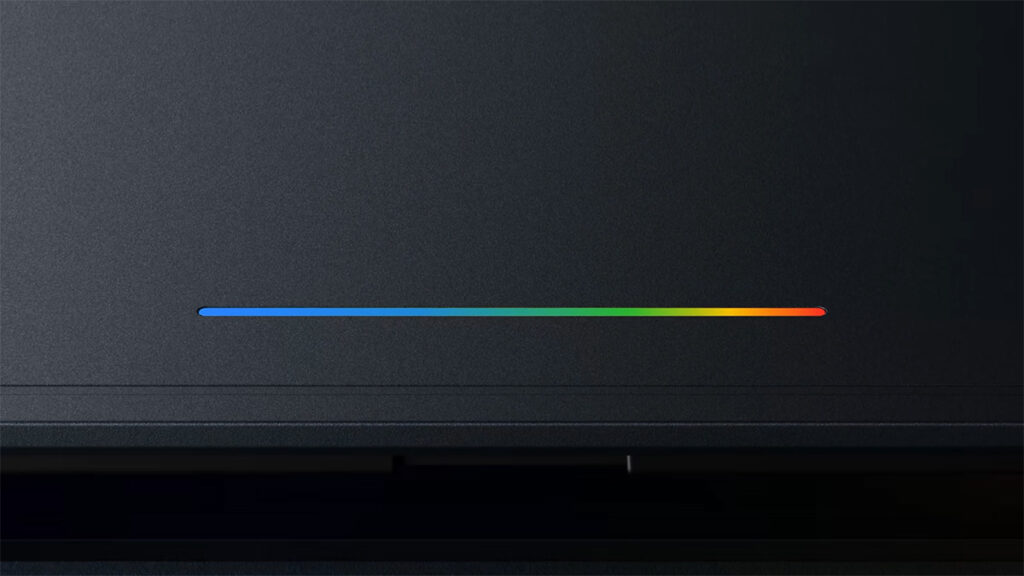
This hybrid nature allows the platform to support physical hardware integrations like the Glowbar hinge light and a dedicated G Key. The combination of mobile efficiency and desktop productivity workflows is central to the platform's design. The source material explicitly notes that the OS retains mobile perks while offering a full desktop experience, creating a "hybrid desktop operating system."
Googlebook OS is a hybrid desktop operating system that combines Android's core architecture with a desktop interface featuring resizable windows, a taskbar, and multi-monitor outputs.
What Hardware Platforms Support Googlebook OS?
Googlebook OS is hardware-agnostic across both x86 and ARM silicon architectures. The official device lineup includes devices powered by Qualcomm Snapdragon X Series processors, which are ARM-based architectures optimized for extreme battery efficiency and used in HP and Dell XPS builds. On the x86 side, Intel Core Ultra Series processors are used in Acer, ASUS, and Lenovo builds, targeting raw multi-threaded performance. The OS also has dedicated ARM platforms planned for expansion using MediaTek Kompanio Ultra and Dimensity CX chipsets.
This broad silicon support is a departure from more limited mobile operating systems. It allows manufacturers to select processors based on whether they prioritize battery efficiency or computing power. The source confirms the OS ships on these specific platforms, validating hardware-agnostic claims.
Googlebook OS supports both ARM architectures, including Qualcomm Snapdragon X and MediaTek platforms, and x86 architectures, including Intel Core Ultra Series processors, across major laptop manufacturers.
What Are the Key System Features of Googlebook OS?
Googlebook OS integrates system-wide Gemini Intelligence, which enables several unique features. The Wiggle Magic Pointer allows contextually selecting on-screen text or visuals by shaking the cursor, generating immediate Gemini prompts. Rambler Speech Processing strips filler words and disfluencies from spoken thoughts to output structured prose. Agentic Task Handoff enables Gemini agents to execute multi-step workflows even when the laptop lid is closed. Additionally, Better Together Continuity features, including Cast My Apps, Continue On, and Quick Access, allow direct application and media sharing with Android smartphones.
"Gemini agents can execute multi-step workflows even when your laptop lid is closed."
— Adam Lobo TV, Googlebook OS Deep Dive
The OS-level AI integration is a core differentiator. It pairs a native 45+ TOPS NPU with system-wide Gemini Intelligence, moving beyond a mere web-based Gemini app to a platform where AI is embedded in the OS. These features are designed to streamline workflows by reducing the friction between user intent and system action.
System-wide Gemini Intelligence powers features such as Wiggle Magic Pointer, Rambler Speech Processing, and Agentic Task Handoff, executing workflows even when the device lid is closed.
What Are the Trade-Offs: Benefits vs. Downsides?
The move to a native Android desktop platform offers significant benefits but also clear limitations. One primary benefit is zero-emulation mobile app execution, which makes opening apps feel instantaneous. The platform also provides native 45+ TOPS NPU AI integration and consistent multi-day battery efficiency. Google guarantees a 10-year OS update lifecycle for validated devices. However, the downside is that Googlebook OS does not support legacy x86 Windows software (.exe files). The $899 entry barrier also eliminates budget-conscious buyers from the market.
An additional challenge is desktop UI scaling; developers need to optimize their apps for desktop display ratios. The source notes that while Google Play apps run natively, developers must ensure their layouts scale properly for success. According to Adam Lobo TV's verdict, the main obstacle is developer compliance, and if third-party developers update layouts, the platform "becomes a serious threat to thin-and-light Windows laptops."
Googlebook OS delivers native Android execution without emulation, but the trade-offs include no support for legacy Windows software and an $899 entry barrier.
Who Is Googlebook OS Made For?
According to the source material, Googlebook OS is designed for mobile-first professionals, creators, and students who already live inside the Android and Google Workspace ecosystems. The target user is someone whose daily workflow heavily relies on web applications, Figma, Canva, mobile video suites like CapCut or Lightroom, and cloud-first productivity tools. For these users, the OS offers a faster, cleaner alternative to Windows or macOS without the overhead of legacy desktop OS bloat.
The source directly defines the target user profile. The OS is positioned for individuals who value the Android ecosystem and app compatibility but require the productivity features of a traditional desktop. It is a deliberate departure from the budget and educational focus of ChromeOS, moving toward a premium, creator-centric experience.
The target user for Googlebook OS is a mobile-first professional, creator, or student who relies on Android and Google Workspace ecosystems and requires desktop-class productivity.
Common Questions
How does Googlebook OS execute Android apps compared to ChromeOS?
Googlebook OS runs Android apps natively without emulation because the OS itself is built on an Android kernel baseline. Legacy ChromeOS required a Linux container and an Android emulation environment, which was inefficient and battery-draining. The new OS eliminates this multi-layer virtual machine pipeline entirely.
Is Googlebook OS replacing ChromeOS for all users?
No, Googlebook OS replaces consumer ChromeOS on premium hardware. Google is maintaining ChromeOS support for legacy enterprise fleets, schools, and ChromeOS Flex devices. The distinction is that the new OS targets premium hardware at $899 and above, while ChromeOS continues for specific existing markets.
What security hardware does Googlebook OS use?
Googlebook OS utilizes on-chip Titan C and Titan C2 security modules for its security layer. This replaces the older ChromeOS Verified Boot system. The inclusion of on-chip security modules is part of the platform's premium hardware focus and enterprise-grade security posture.
Sources and Methodology
This article is based exclusively on the source material provided by Adam Lobo TV, titled "What Is Googlebook OS? Everything You Need to Know About Google’s Android Desktop Platform," published at https://adamlobo.tv/googlebook-os-android-desktop-deep-dive/. The article synthesizes information from that post, including the official Android Developers Googlebook Overview, Tom’s Guide analysis on Googlebooks vs Chromebooks, and the Wikipedia entry for Googlebook OS, as cited in the original text.
No data was translated or converted from other currencies or units. All statistics, quotes, and facts are grounded in the provided article. Where specific numerical data was not provided in the source, such as exact device dimensions, this article has omitted such details rather than inventing them. This article was last updated on June 4, 2026.