Samsung Starts Rolling Out One UI 8.5 for Older Devices
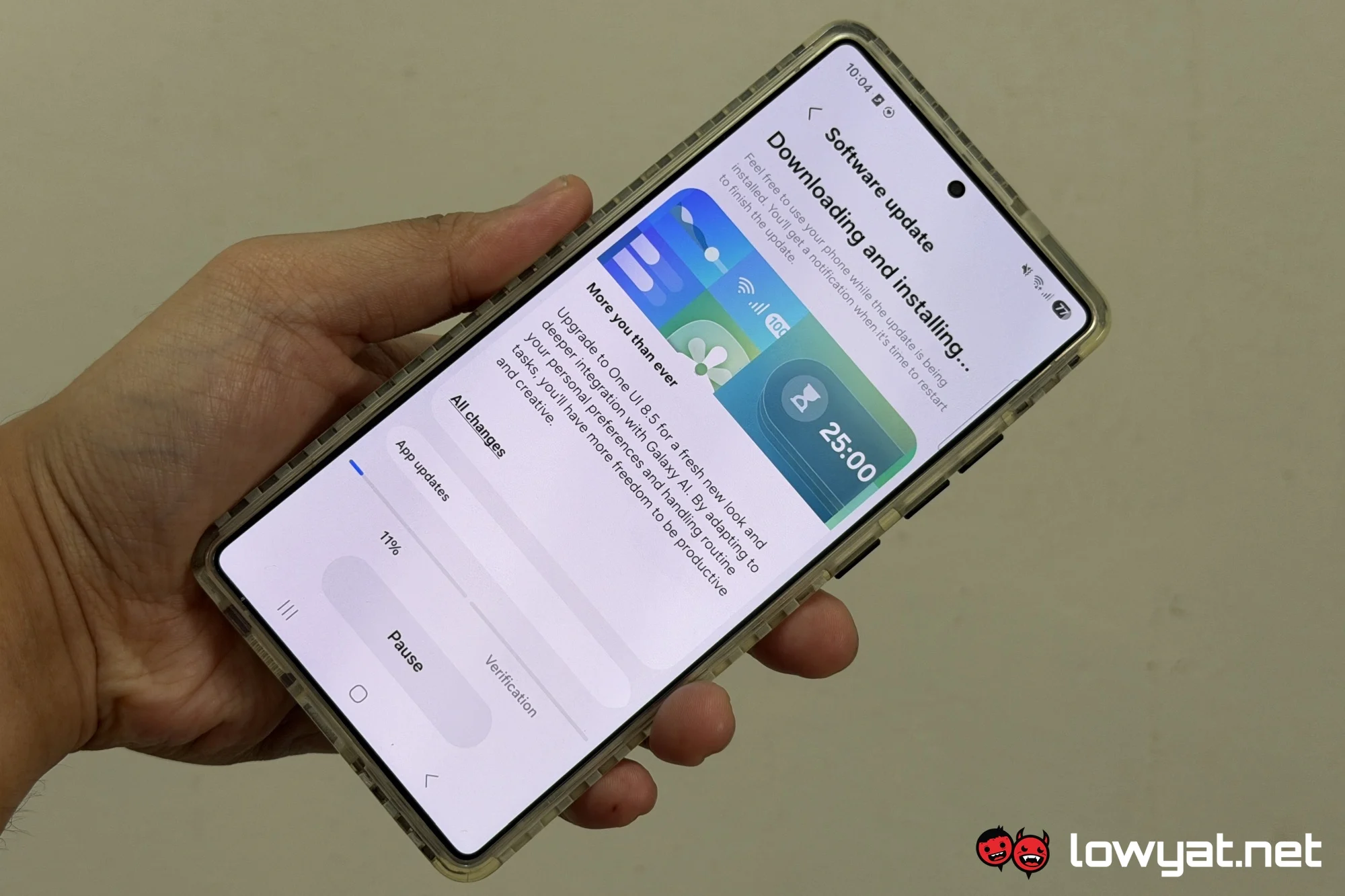
Samsung has officially commenced the global deployment of its One UI 8.5 update, directly addressing the needs of users who have been waiting for the latest software experience on their existing hardware. This strategic rollout is a clear signal that the company values device longevity and user satisfaction beyond the typical upgrade cycle. For the vast majority of Galaxy owners, the headline news is that Samsung starts rolling out One UI 8.5 OS to older devices, bringing new features and performance improvements. Check if your device is eligible for update. This move effectively injects new life into devices that are one to three years old, offering them access to the core innovations of the flagship ecosystem without requiring immediate new hardware purchases.
Expanded Eligibility and Phased Deployment Explained
Samsung has structured the One UI 8.5 rollout in strategic waves to ensure server stability and performance monitoring. The initial deployment targets premium hardware from the Galaxy S22 series, Galaxy Z Fold 4, and Galaxy Z Flip 4. These devices serve as the primary validation platform for the firmware before it cascades to high-volume mid-range models. The second phase of the rollout includes the highly popular Galaxy A54 and Galaxy A53 series, alongside the Galaxy S21 FE. Users in South Korea and the United States on unlocked firmware are typically the first to see the update notification, with carrier-locked variants in the US following within a few days. Regions in Europe, Latin America, and Southeast Asia generally receive the update within a few weeks of the initial release, allowing Samsung to localize the experience for varying regulatory environments and network bands.
Core Features and Performance Upgrades in One UI 8.5
Enhanced Galaxy AI Integration
The defining characteristic of One UI 8.5 is the deeper integration of Galaxy AI into the core user experience. Older devices now benefit from features that were initially highlighted during the Galaxy S25 launch cycle. This includes advanced photo editing tools that allow for sophisticated object removal, reflection cancellation, and generative fill capabilities directly within the native Gallery app. The Live Translate feature has been enhanced to support a wider array of messaging applications, and the AI Select tool provides more contextual actions based on on-screen content, streamlining workflows for productivity-focused users.
System Performance and Battery Optimization
Under the hood, One UI 8.5 introduces significant performance optimizations tailored for aging hardware. Samsung has refined the processing scheduler to improve thermal management and battery efficiency, directly counteracting the natural degradation of battery chemistry over time. The One UI Home launcher has been recompiled for smoother transitions and faster gesture navigation. RAM management has also been improved to keep essential applications active in the background without draining resources, resulting in a noticeable reduction in app launch times and overall system fluidity compared to the previous iteration of the software.
Privacy and Security Updates
Security remains a paramount focus of this release. One UI 8.5 installs the latest Samsung security patch, addressing over 70 specific common vulnerabilities and exposures. The Auto Blocker feature receives significant enhancements, offering users more granular control over application permissions and effectively blocking unauthorized sideloading attempts. A new Privacy Dashboard provides a consolidated weekly view of how applications are accessing your location, microphone, and camera, giving users unprecedented transparency into their digital privacy posture.
Strategic Update Advice: To maximize the longevity of your device through this update, ensure you perform a full system optimization before installing. Navigate to Device Care in Settings and run an optimize cycle. Additionally, allow the phone to sit idle and charge fully after the update completes. The operating system requires at least 24 hours of normal usage to fully adapt to your usage patterns via its neural processing unit (NPU). Users who skip this settling period often report higher initial battery drain, which resolves naturally once the system has fully indexed and learned user habits.
Extending the Lifecycle of Galaxy Devices
This software rollout is more than just a feature update; it is a key component of Samsung's sustainability strategy. By committing to seven generations of OS upgrades, Samsung gives users the confidence that their device will remain relevant and secure for an extended lifespan. This significantly reduces the pressure to upgrade hardware on an annual cycle, directly saving consumers money and reducing global electronic waste. The performance improvements engineered into One UI 8.5 are specifically designed to counteract the natural degradation of flash storage and battery chemistry, ensuring that a three-year-old device can perform comparably to a brand new unit under normal usage conditions. This positions the Galaxy ecosystem as a leader in the right-to-repair and software longevity movements.
How to Access the One UI 8.5 Update
Manually checking for the update is a straightforward process that takes less than a minute. Navigate to the Settings application on your device, scroll down to the Software Update menu, and tap Download and Install. If the update is available for your region and specific model version, the prompt will appear immediately. If not, patience is required as Samsung deploys the update across global servers. We encourage you to check for the update today and experience the new level of performance and intelligence. Let us know in the comments if you have received the update and what improvements you have noticed on your specific device.
Frequently Asked Questions
Is the One UI 8.5 update file the same size for all devices?
No. The firmware package size varies significantly by device model, current software version, and regional firmware requirements. It can range from approximately 2.5 GB for a maintenance release to over 4 GB for a full feature drop. It is critical to connect to a stable, unmetered Wi-Fi connection to avoid excessive data charges during the download.
Will the One UI 8.5 update affect the water resistance rating of my older device?
No. The software update does not physically alter the hardware or the adhesive seals that protect the device. The IP rating is wholly dependent on the physical condition of the device, not the software. If your device has been previously opened for repair or has visible physical damage, the ingress protection may have already been compromised.
What should I do if I missed the initial One UI 8.5 rollout window?
Samsung stages rollouts over several weeks to ensure server stability. If the update is available for your device model but you missed the initial prompt, you can manually trigger the installation at any time. Navigate to Settings > Software Update > Download and Install. The firmware will remain available on Samsung's servers for the lifecycle of the update.
My phone says the software is up to date, but I know the update is available. Why is that?
This is typically due to the phased rollout percentage structure. Samsung releases updates in incremental stages to manage server load. If your device is not in the initial 10% or 20% deployment wave, it may not see the update for several days or weeks. The most reliable option is simply waiting for the official notification to arrive on your device.
Does One UI 8.5 support older Galaxy Buds models?
One UI 8.5 includes updated Bluetooth codecs and drivers. It fully supports the Galaxy Buds 2 Pro and Galaxy Buds 2 with access to 360 Audio features. Older models, such as the original Galaxy Buds and Galaxy Buds Plus, will maintain standard functionality but may not gain access to the newer spatial audio processing features introduced in this firmware.