Critical Microsoft Authenticator Flaw Puts Accounts At Risk
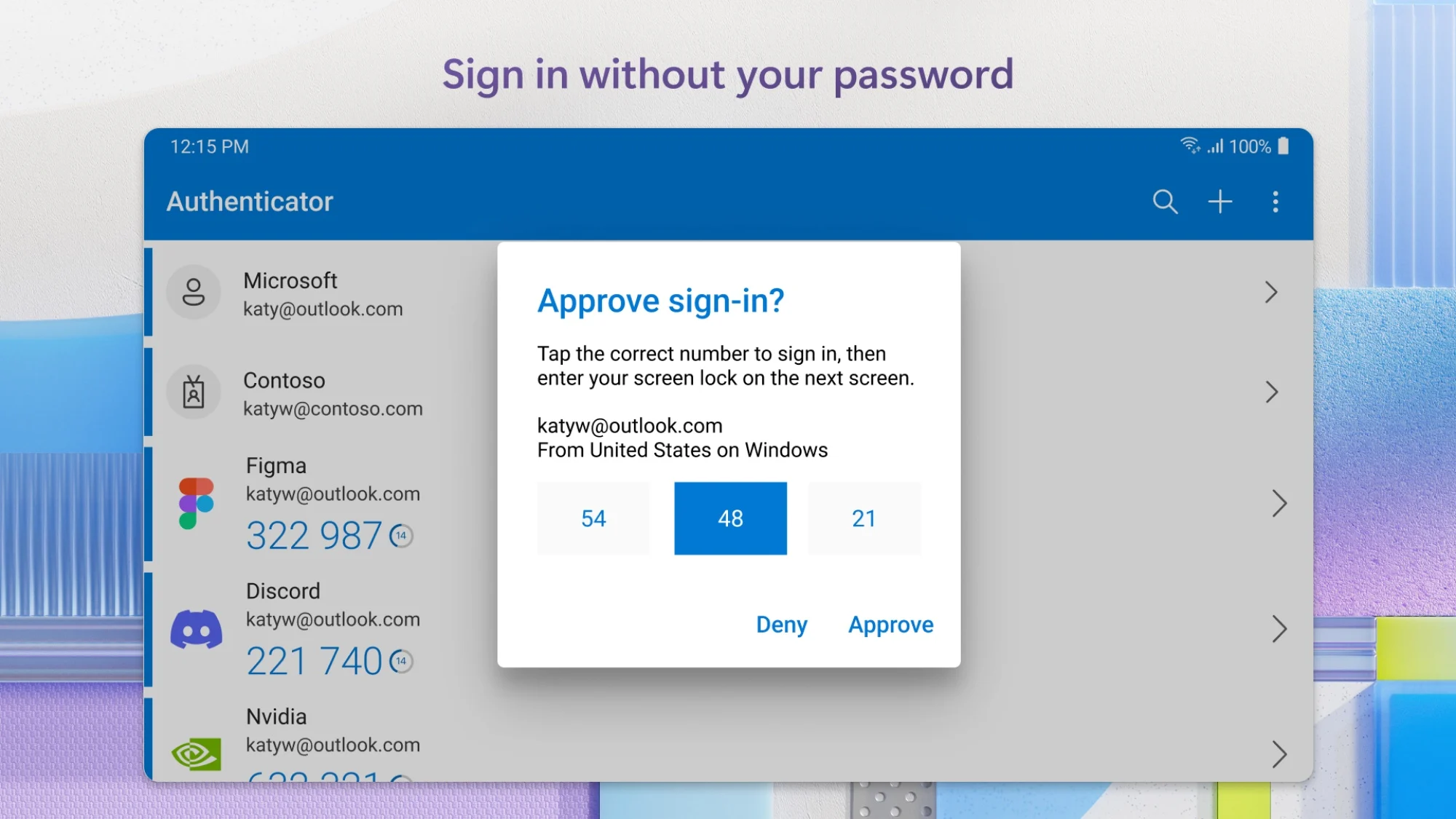
A critical vulnerability in the Microsoft Authenticator app has exposed a fundamental weakness in modern multi-factor authentication, forcing organizations and individuals to rethink their digital security strategies. A critical Microsoft Authenticator flaw puts accounts at risk. Learn how this vulnerability affects your apps and how to protect your Microsoft logins. Security researchers have uncovered a method for attackers to bypass one-time passcodes and push notifications by stealing session tokens directly from the app's cloud backup or local storage. This article provides a technical breakdown of the exploit and a comprehensive guide to mitigating the risks before your credentials are compromised.
The Anatomy of the Exploit
The vulnerability centers on how Microsoft Authenticator handles the seed keys and session tokens that form the backbone of its security. While the app encrypts this data, the decryption key is often tied to the user's primary account password, creating a single point of failure. If an attacker compromises a user's Microsoft or iCloud credentials, the tokens for every service protected by the authenticator become immediately accessible.
Token Extraction via Cloud Backup
When a user enables cloud backup for the Authenticator app, the encrypted seed data is stored on the provider's servers. An attacker who gains access to the user's cloud account via phishing or credential stuffing can restore this backup to their own device. Once restored, the attacker can generate valid MFA codes for all linked accounts without triggering any alerts. This effectively strips the "something you have" factor down to a single password.
MFA Fatigue and Prompt Bombing
Beyond the technical storage flaw, the user interface of the app itself has been weaponized. Attackers can trigger dozens of MFA push notifications in rapid succession. Faced with a relentless barrage of prompts, the target may inadvertently approve a request just to silence the alerts. This attack strategy exploits human psychology rather than code, bypassing even perfectly configured app settings.
Pro Tip: The most effective countermeasure against MFA fatigue is Number Matching. In Microsoft Entra ID, navigate to Protection > Authentication Methods > Microsoft Authenticator, and set the mode to "Passwordless and Number Matching." This forces the user to type the number displayed on the sign-in screen, making accidental approvals impossible. For high-value accounts, extend this policy to require additional context like the sign-in location.
Strategic Remediation Steps
Addressing this critical Microsoft Authenticator flaw requires a holistic review of your authentication stack. The following actions provide the highest impact for securing your Microsoft logins and reducing your overall attack surface.
Adopt Passwordless Authentication
The most robust solution is to eliminate shared secrets entirely. Microsoft Entra ID supports FIDO2 security keys and Passkeys. These cryptographic credentials are bound to the hardware device and are completely resistant to phishing and token replay attacks. Migrating away from TOTP-based authenticator apps is the gold standard for security in the modern era.
Audit Your Third-Party App Sync
Review which accounts are syncing their authentication tokens via cloud services. Disable automatic backup for the Microsoft Authenticator app if it is not strictly necessary. If sync is required, ensure the underlying cloud account uses a strong, unique password and is protected by its own hardware security key to prevent it from becoming a single point of failure.
Enforce Conditional Access Policies
For organizations, Conditional Access policies act as a critical safety net. Configure rules that block sign-ins based on risk levels, device compliance, or geographic region. For example, a sign-in attempt from an untrusted location using a newly synchronized authenticator token should be immediately blocked and flagged for investigation to contain an attack before lateral movement can begin.
Final Verdict: The New Standard for MFA Security
This vulnerability underscores a critical truth: not all MFA is created equal. Relying on a single authenticator app as your sole security layer is an outdated risk. By combining Passwordless credentials, Number Matching, and Conditional Access, you create a defense-in-depth strategy that protects against both technical exploits and human error. Have you reviewed your authenticator settings recently? Share your experience with locking down your MFA in the comments below.
Frequently Asked Questions
Is the Microsoft Authenticator app completely unsafe to use?
No. For the vast majority of users, the app remains a secure and convenient option when used correctly. The primary risks involve cloud backup compromise or targeted MFA fatigue attacks. Ensuring your backup account has a strong, unique password and enabling Number Matching effectively neutralizes the most common attack vectors.
How can I detect if my authenticator tokens were stolen?
Key indicators include receiving MFA prompts for actions you did not perform, receiving alerts about a new device syncing to your cloud backup, or noticing password reset attempts for accounts protected by the authenticator. If you see an unsolicited prompt, always deny it and immediately rotate your account password.
Should I migrate from Microsoft Authenticator to a different app?
While migrating can distribute your risk, it does not solve the underlying problem of OTP seed storage. Apps like Google Authenticator and Authy have had similar concerns regarding cloud sync. The ultimate solution is to move toward Passwordless authentication using Passkeys or FIDO2 hardware tokens, which provide cryptographic proof of identity rather than a shared secret.
Does the app update from Microsoft fix this vulnerability?
Microsoft continuously updates its authenticator app to patch specific bugs and improve resilience. However, the core design challenge of securely syncing secrets across devices persists. Relying solely on app updates for security is insufficient. User behavior, such as enabling Number Matching and securing the backup account, is just as critical as the software patches.
What is the most secure alternative to using an authenticator app?
FIDO2 security keys and platform Passkeys offer the highest level of security. They are inherently resistant to phishing, theft, and replay attacks, as the private key never leaves the device. For critical infrastructure, these methods are strongly recommended over any app-based TOTP code.