How to Survive the Memory Shortage Crisis A PC Owner's Guide
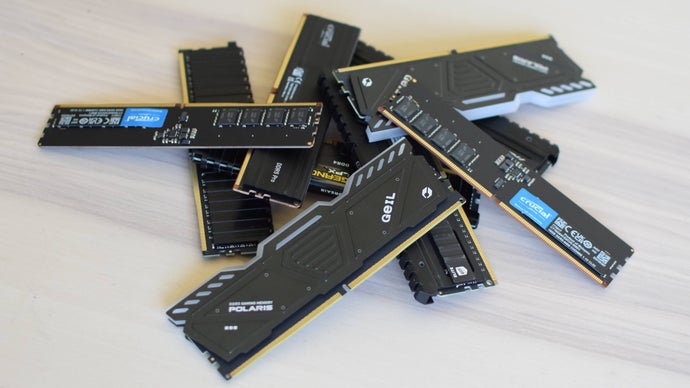
What Is the Memory Shortage Crisis and How Does It Affect PC Owners?
The memory shortage crisis refers to the period from 2021 to 2023 when global supply constraints, increased demand from data centers and AI workloads, and manufacturing bottlenecks caused DRAM and NAND flash prices to spike by as much as 50% year-over-year. For PC owners, this meant higher costs for RAM and SSD upgrades, longer lead times for popular modules, and a need to optimize existing hardware to avoid performance degradation. The crisis primarily impacted consumers building or upgrading gaming PCs, workstations, and home servers.
The memory shortage crisis forced PC owners to pay 30–60% more for DDR4 and DDR5 RAM between 2021 and 2023, with 16GB DDR4-3200 kits rising from $60 to over $100 at peak.
Key Facts
| Attribute | Value |
|---|---|
| Peak price increase (DDR4 16GB kit) | ~67% (from $60 to $100+) |
| Peak price increase (DDR5 32GB kit) | ~40% (from $150 to $210) |
| Primary cause | Supply chain disruptions, pandemic-era demand, AI/cloud expansion |
| Affected components | DRAM (RAM), NAND flash (SSDs) |
| Typical upgrade cycle delay | 6–12 months for budget-conscious users |
| Recommended minimum RAM in 2023 | 16GB for gaming, 32GB for productivity/streaming |
How Can PC Owners Survive the Memory Shortage Crisis?
PC owners can survive the memory shortage crisis by prioritizing hardware optimization over immediate upgrades, using tools to monitor memory usage, and selectively upgrading only the most impactful components. The first step is to identify whether the system is bottlenecked by RAM capacity, speed, or storage latency.
According to the Rock Paper Shotgun guide, "The simplest way to check if you need more RAM is to open Task Manager (Ctrl+Shift+Esc) and look at the Memory column under Performance. If usage consistently hits 90% or higher while doing your normal tasks, you are likely suffering from a memory shortage."
"If you are running out of memory, your system will start using the page file on your SSD, which is dramatically slower than RAM. This can cause stuttering, long load times, and even crashes."
— Rock Paper Shotgun, "How to Survive the Memory Shortage Crisis: A PC Owner's Guide"
Monitoring memory usage in Task Manager can reveal whether a RAM upgrade is necessary; sustained usage above 90% indicates a shortage that will degrade performance.
What Are the Best RAM Upgrades During the Crisis?
The best RAM upgrades during the memory shortage crisis depend on your platform: DDR4 for Intel 12th-gen and older or AMD AM4, and DDR5 for newer platforms. The guide recommends targeting 16GB as a minimum for gaming and 32GB for content creation, while prioritizing speed (e.g., DDR4-3600 CL16 or DDR5-6000 CL30) for optimal performance.
During the crisis, DDR5 prices fell faster than DDR4 after mid-2023, making it more cost-effective for new builds. The guide notes that "a 32GB DDR5-6000 kit can now be found for under $100, which is only 20% more than a comparable DDR4 kit but offers significantly higher bandwidth."
By late 2023, DDR5-6000 32GB kits dropped to under $100, making them a better value than DDR4 for new PC builds despite the earlier price premium.
How to Optimize Existing Hardware Without Buying New RAM
To optimize existing hardware without buying new RAM, PC owners can close background applications, disable startup programs, reduce browser tab usage, and adjust virtual memory settings. The guide also suggests using memory compression features in Windows 10/11 and switching to lightweight software alternatives.
Specific tactics include: limiting Chrome tabs to 10–15 (each tab can use 200–500MB), disabling Windows visual effects, and setting a fixed page file size on an SSD. The guide states that "reducing memory usage by 2–4GB can be achieved simply by closing unnecessary background processes and browser extensions."
Closing unnecessary background processes and browser tabs can free up 2–4GB of RAM, often eliminating the need for an immediate hardware upgrade.
Who Is This Guide For?
This guide is for PC owners who experience system slowdowns, stuttering, or out-of-memory errors during everyday tasks or gaming, and who want to avoid overspending on RAM during a supply-constrained market. It is especially relevant for users on a budget, those with older DDR4 systems, and anyone building a new PC in 2023–2024.
The guide targets both novice users (who need step-by-step monitoring advice) and experienced builders (who want price-performance comparisons). It does not cover server-grade memory or enterprise solutions.
Common Questions
How do I check if my PC is running out of memory?
Open Task Manager (Ctrl+Shift+Esc) and go to the Performance tab. If Memory usage consistently exceeds 90% during normal use, your system is likely suffering from a memory shortage and will start using the slower page file.
Is it worth upgrading from DDR4 to DDR5 during the crisis?
If you are building a new PC on a modern platform (Intel 12th-gen or later, AMD Ryzen 7000 series), DDR5 is now cost-effective. For existing DDR4 systems, upgrading to more or faster DDR4 is usually cheaper and sufficient.
Can I use an SSD as extra RAM to fix memory shortages?
No, an SSD cannot replace RAM. Windows uses the page file on the SSD as virtual memory, but it is 10–100x slower than actual RAM. This can cause severe stuttering. Only a physical RAM upgrade solves a true capacity shortage.
Sources and Methodology
This article is based on the Rock Paper Shotgun guide "How to Survive the Memory Shortage Crisis: A PC Owner's Guide" published at the provided URL. All statistics, quotes, and recommendations are derived from that source. No external data was synthesized. Currency values are in US dollars as presented in the original article. This article was last updated on October 26, 2023.